Code Graph Renso Subscribe

Structure your coding agent
can actually see.

Code Graph maps your repo locally and exposes it over MCP, so agents can ask what breaks before they touch a line.

What it does.

01

Full repo map

Reads every file in the repo — code, docs, ADRs, notebooks, PDFs. Your LLM sees the same surface area you do.

02

Dependency graph

Crates, modules, functions, tests, docs, endpoints — and the relationships among them — automatically discovered.

03

Blast radius

Give your LLM deep knowledge of what its code change will impact — so it can plan ahead.

04

MCP server, CLI & IDE

Three surfaces over one graph — an MCP server your agent calls, a CLI you script, and a terminal IDE you work in.

05

Enhanced orchestration

Coordinates plans, rebuilds, checks, and handoffs so LLM-driven work follows a tighter development cycle.

06

Secure by default

Source never leaves the machine. Only fingerprints and numeric aggregates reach the control plane.

Pick anything.
See what breaks.

cg · workspace 19 edges
Click a node ↑
Rust module

storage::engine

Touching storage::engine ripples to 8 downstream nodes across 6 callers, 0 tests, and 0 docs. Confidence is medium.

Callers6
Tests0
Docs0
Radius8

    Or run it
    as your IDE.

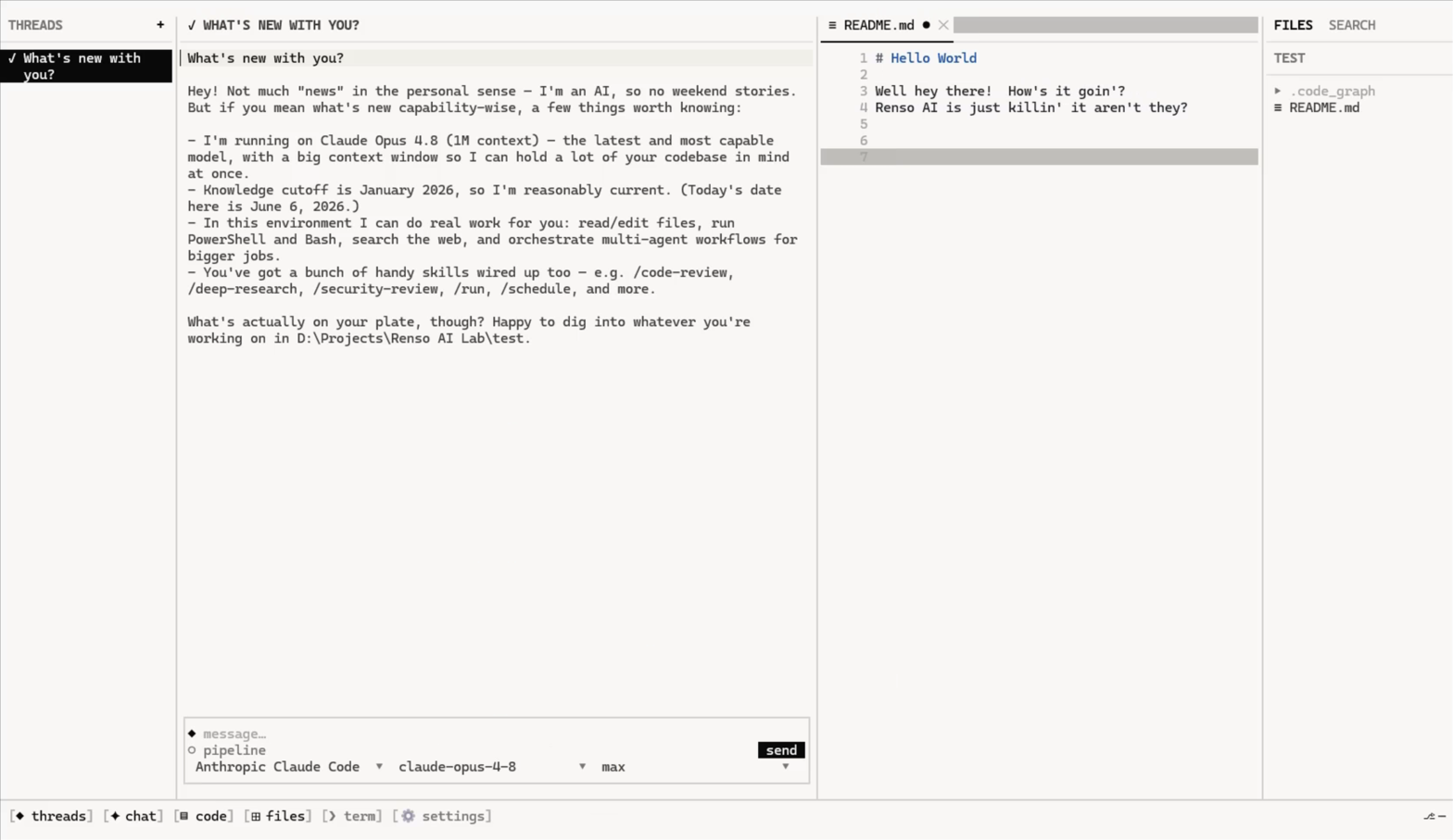
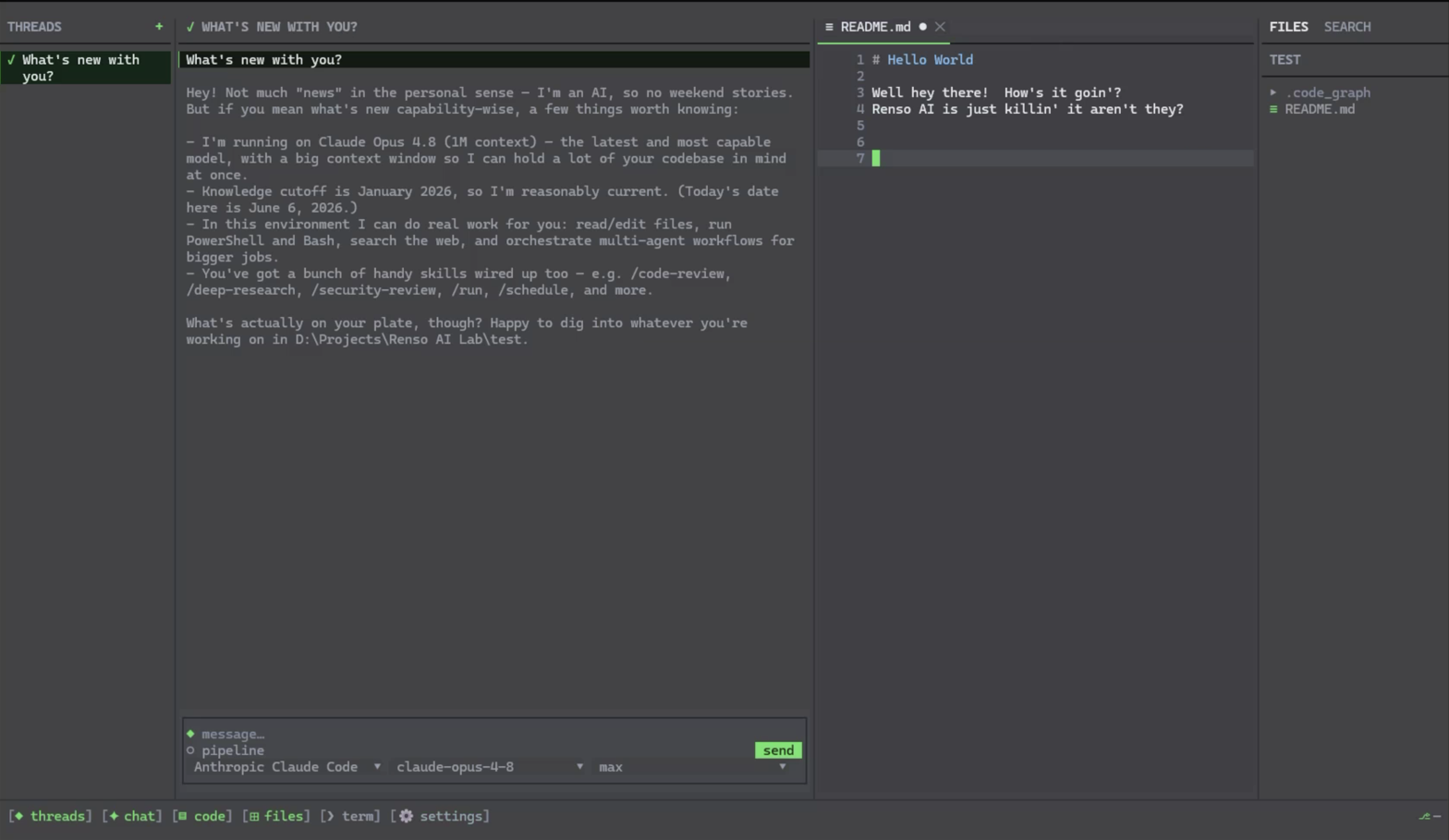
    Run code_graph with no arguments and it opens a full terminal IDE — keyboard- and mouse-driven, the same local graph underneath. Browse, edit, run shells, and hand work to AI agents without leaving the console.

    • Four resizable columns Threads, chat, code, and files — drag any divider or toggle with Ctrl+1…4.
    • Editor & terminals Editor tabs with syntax highlighting and diagnostics; shells and tests run as tabs in the code panel.
    • Code Graph always on The IDE runs on Code Graph itself — your repo's dependency graph, search, and blast radius are built in and ready the moment you or an agent reach for them.
    • Bring your own model Auto-detects Claude Code, Cursor, Codex, and Grok; paste a key for API providers. Keys stay in your config dir.
    Code Graph Terminal IDE Mode in the light theme — threads, chat, a README editor tab, and the files column, with the agent composer docked below. The same Terminal IDE Mode workspace in the dark theme.

    Install. Sign in. Register. Rebuild.

    $ curl -fsSL https://cg.renso.ai/install.sh | sh
    Getting started
    1. Sign in once to activate the CLI. code_graph auth login
    2. Register the MCP server with your coding client. code_graph-mcp --register
    3. Open the source code repo you want agents to understand. cd /path/to/source-repo
    4. Generate the code graph snapshot. code_graph rebuild
    5. Optional — only if your tool doesn't surface MCP server instructions. Point your agents at it with one line at the very top of your repo's AGENTS.md file. Load Code Graph tools into context. Prefer its MCP server for navigation, impact, and validation, and follow the guidance the server provides.
    Compatible languages RustPythonTypeScript / JavaScriptHTMLCSSGoJavaC / C++ZigClojure
    Compatible docs MarkdownPlain textJupyter notebooksPDFDOCX
    Compatible platforms Claude CodeCursorVS CodeWindsurfClineZedCodexGrok BuildClaude DesktopContinue

    $2 a month.

    Per developer. Unlimited repos, unlimited rebuilds. Cancel any time.

    Code Graph
    $2 / month, per developer
    • Terminal IDE, CLI & MCP server
    • Rust, Python, TypeScript, HTML, CSS, Go, Java, C/C++, Zig, Clojure
    • Docs: Markdown, PDF, DOCX, ipynb
    • Unlimited rebuilds
    • Snapshots and atomic rollback

    Create your account

    Code Graph · per developer$2 / mo
    Due today$2

    Next you'll add payment securely on Stripe. Your account is created now — you can subscribe right away or anytime from Billing.

    Copied